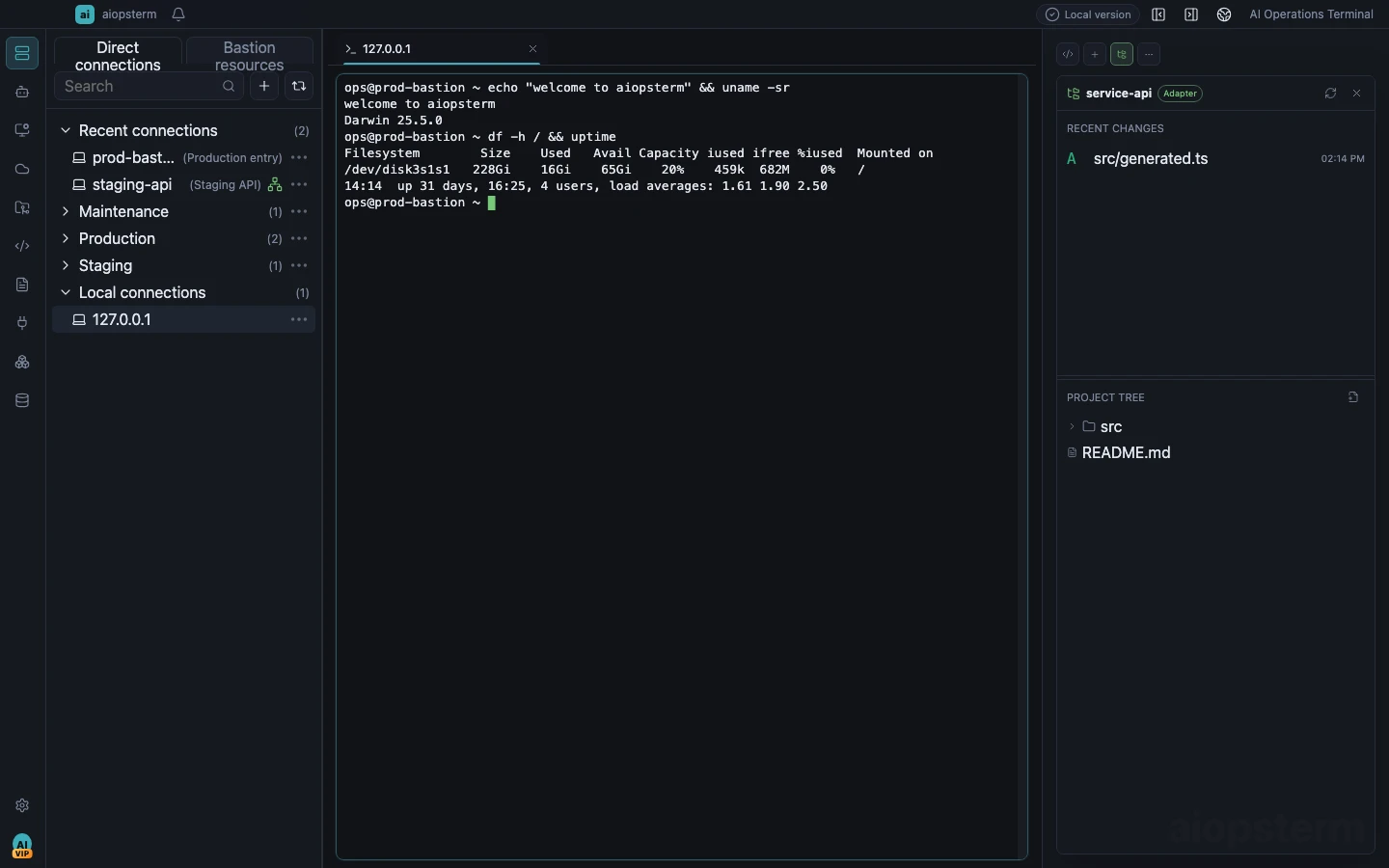
Multi-environmentProduction, staging, and local in one view
01 OVERVIEW
The operations terminal built for people and AI.
Connect any environment, run any command, and collaborate with AI. Terminals, coding-agent sessions, and infrastructure tools stay visible and controlled in one workspace.
Windows, macOS, and Linux releases are signed and ready
AI-native workflowCodex, Claude Code, OpenCode, and more
Secure by designLeast privilege, approval, and audit
ExtensibleMCP tools and external agents
02 FLEET
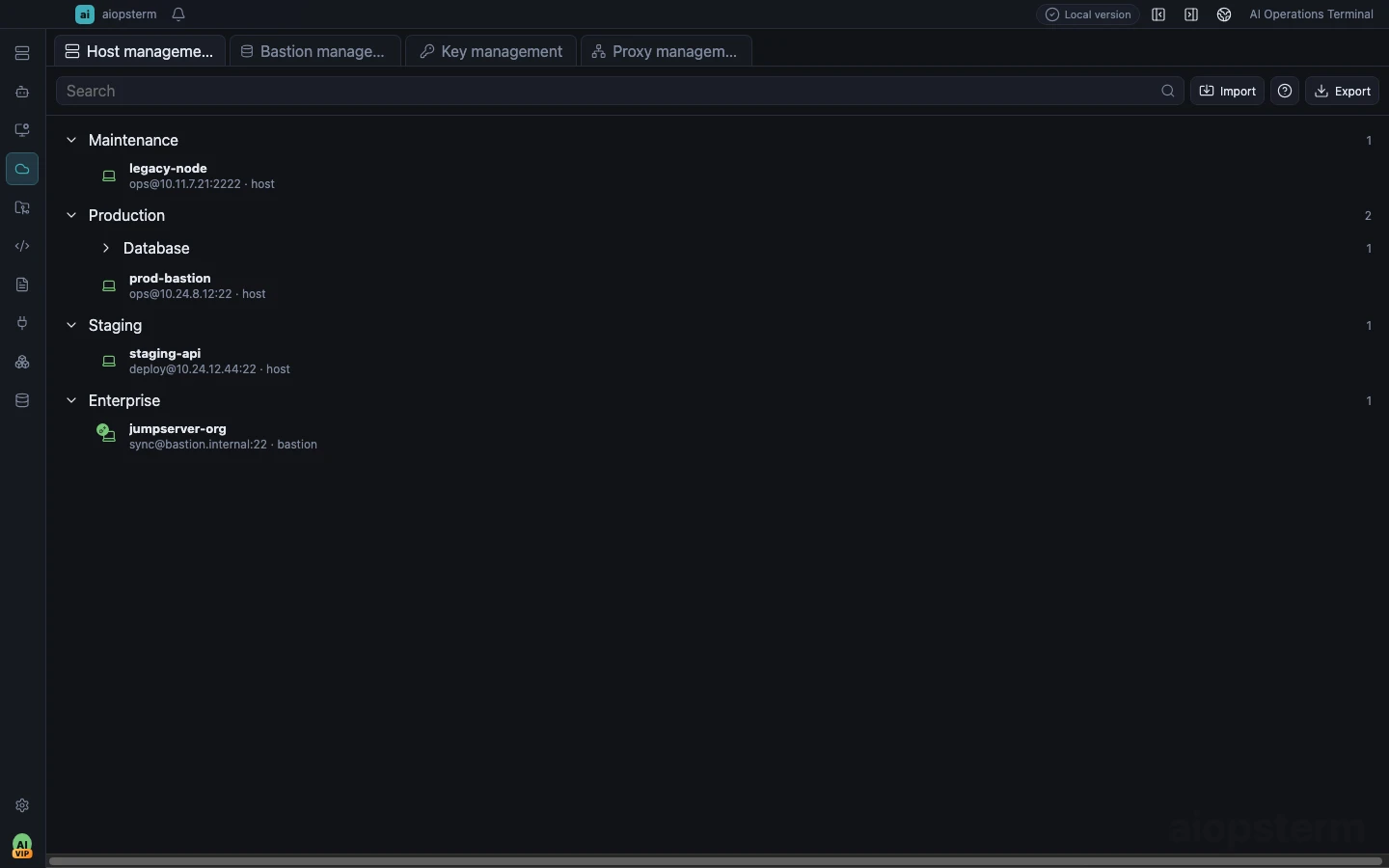
Manage every environment from one index.
Organize hosts, databases, and clusters by service, environment, and purpose. Connection state, access points, and frequent actions stay close at hand.
- Hosts, keys, proxies, and bastions
- Groups for production, staging, and data
- SSH, agent, and tunnel connections
- Search, live status, and quick actions
03 TERMINAL
A terminal built for real operations.
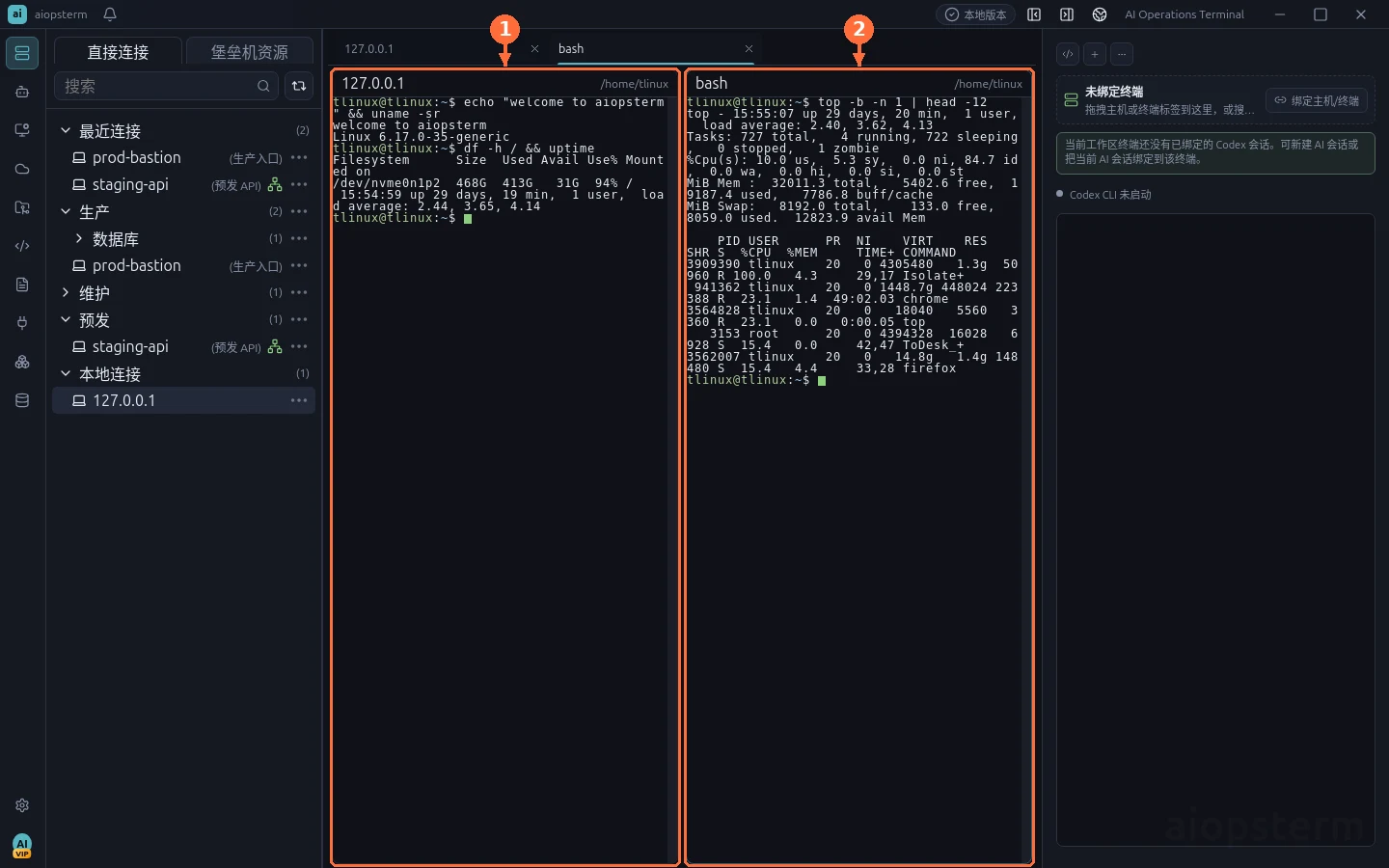
Tabs, split panes, persistent sessions, and Host Agent share one workspace. Observe, operate, and automate without changing tools.
Tabs and split panes
Run, monitor, and compare tasks in parallel.
Persistent sessions
Keep your working context and resume anytime.
Contextual AI assistant
Explain, generate, and act beside the terminal.
04 AI SESSIONS
AI work no longer disappears into terminal tabs.
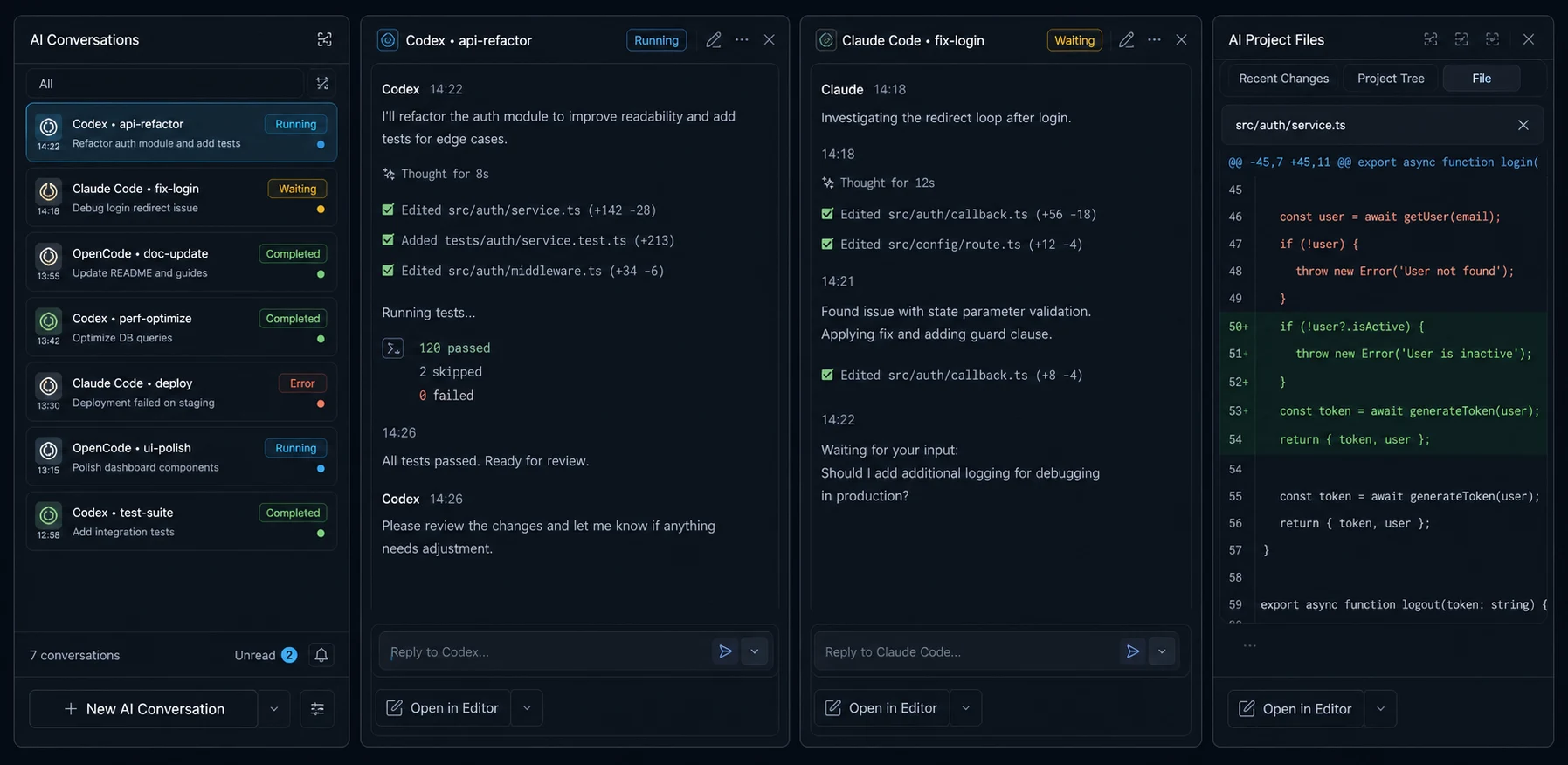
See real Codex, Claude Code, OpenCode, and other coding-agent sessions with their state, project files, and recent changes.
- Waiting, running, completed, and error states
- Side-by-side conversation inspection
- Complete transcript viewing and editing
- Project tree, source, diffs, and recent changes
05 MCP
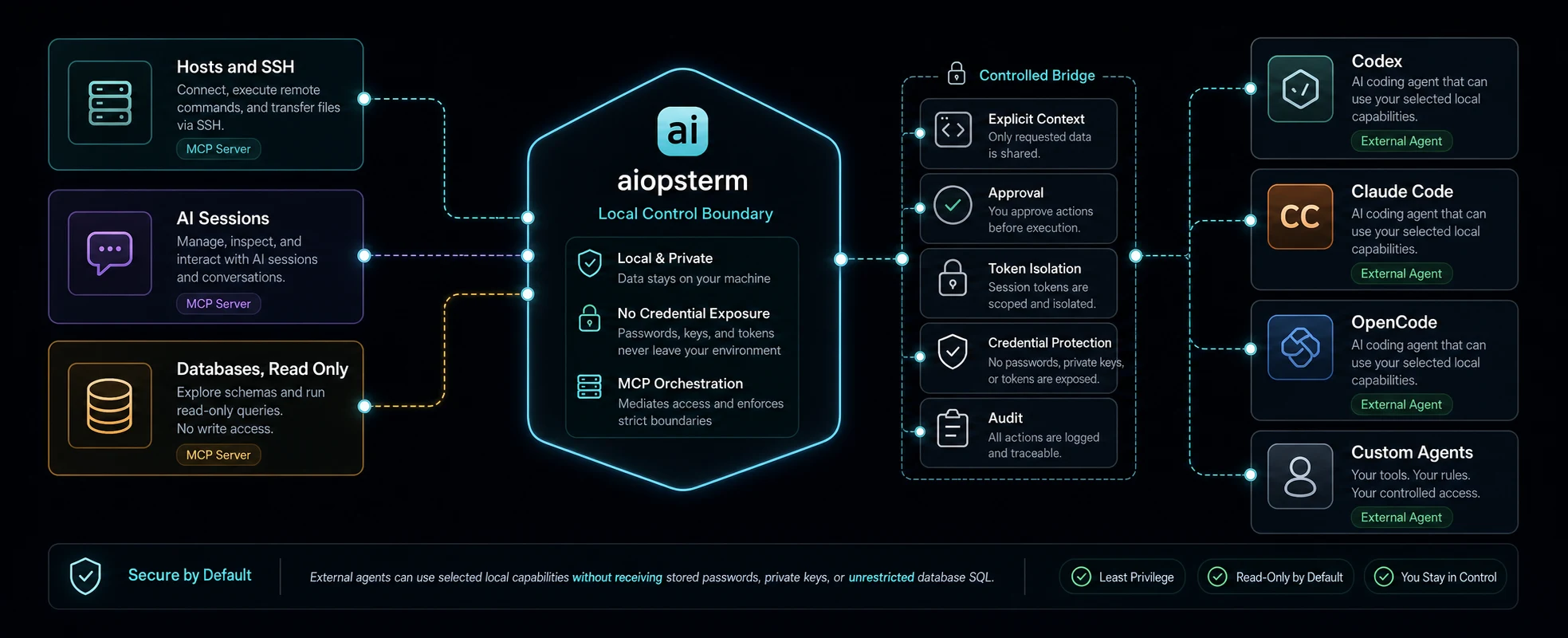
Give AI selected capabilities, not your credentials.
Export Hosts and SSH, AI Sessions, and read-only Databases as separate MCP servers. External agents receive explicit, scoped, and auditable operations.
Explicit contextApproval before executionToken isolationCredential protectionComplete audit
06 SECURITY
You keep control at every step.
Security is the default boundary for connection, authorization, and automation, not an optional layer.
07 DOWNLOAD
Start on the platform you use.
One workspace across the major desktop platforms. The download page recommends the right signed release for your device.
View on GitHub